Published on: Wed 03-Dec-2025 11:25 AM
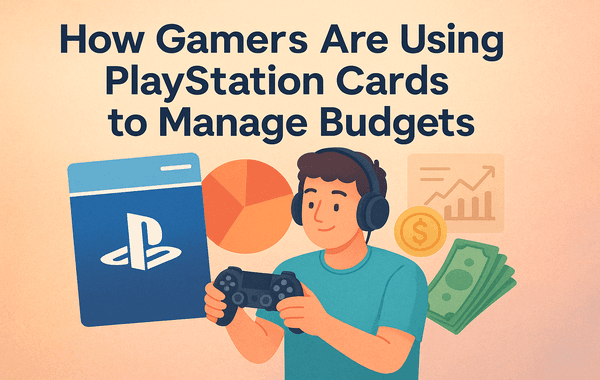
Managing gaming expenses has become more important than ever in 2025. With rising subscription fees, premium in-game purchases, seasonal content drops, and constant new releases, gamers are looking for smarter ways to stay in control of their spending. Surprisingly, one of the simplest and most effective budgeting tools today is something many players already use—PlayStation Cards.
If you love gaming but want to avoid overspending, this guide will show you exactly how PlayStation Cards can help you regulate purchases, avoid impulse buys, and maintain full control over your digital wallet. And if you're looking for easy, fast, and secure purchasing options, you can conveniently buy them directly from Pokibit for smooth top-ups and great discounts.
With more than 113 million monthly active PlayStation Network users (Sony 2024 Report), gaming is no longer just entertainment; it’s a global economy. Gamers now constantly buy digital items—game passes, skins, add-ons, subscriptions, DLCs, and microtransactions—with a single click. The challenge? It’s easy to lose track of how much you’re spending.
This is where PlayStation Cards have become a powerful budgeting tool. Instead of linking debit or credit cards, gamers load a fixed amount into their PlayStation Wallet, ensuring they never exceed their planned limit. This guide explores how players worldwide are using this method to manage money wisely—while still enjoying their favourite titles.
If you're looking to purchase or bulk buy these cards, you can check out Pokibit:
👉 https://www.pokibit.com/product/playstation-gift-card-global
Most articles only talk about using PlayStation Cards for gifting or topping up. But gamers today use them for financial control, and here’s why:
When you top up using PlayStation Cards, you decide how much goes into your wallet.
If your monthly gaming budget is ₹1000 or ₹2000, you simply load that amount and spend only what’s available—nothing more.
This eliminates:
This “prepaid budgeting strategy” is especially helpful for teenagers and families that want controlled spending.
The PlayStation Wallet offers a detailed, time-stamped transaction history.
By using PlayStation Cards instead of bank cards, gamers get clean, separate records for gaming expenses.
For example:
Tracking becomes visually easier, which improves budgeting.
Microtransactions are designed psychologically to feel small and insignificant.
But research shows average gamers spend 27% more when using saved credit cards instead of prepaid options.
PlayStation Cards break this cycle—they create a spending boundary, making gamers more mindful of each purchase.
Many gamers use PlayStation Cards to save money on:
Sometimes regional PlayStation cards offer 10–20% better value depending on currency strength and local pricing.
If purchased during festive sales from stores like Pokibit, the savings can multiply.
Using personal bank details increases exposure to:
PlayStation Cards remove that risk entirely.
Since you're funding your wallet without linking bank accounts, your financial details stay protected.
Parents now use PlayStation Cards as a parental budgeting tool.
Instead of giving children access to bank cards, they allocate fixed prepaid balances.
This prevents:
Families prefer setting weekly or monthly limits for safe, controlled gaming.
During festive holidays, gamers often bulk buy PlayStation Cards for future use.
Buying in bulk means:
Platforms like Pokibit often run exclusive offers—letting gamers save more with pre-purchased cards.
PlayStation Plus and PlayStation Extra/Premium have multiple tiers.
Instead of auto-renewal through bank cards, many users fund their wallet with PlayStation Cards to:
This gives players complete control over recurring expenses.
Games like:
Constantly encourage players to buy upgrades, skins, or seasonal passes.
Using PlayStation Cards encourages thoughtful decisions—gamers stick to budgets and avoid unnecessary purchases.
Some stores provide extra perks when buying PlayStation Cards:
This is an area many blogs don’t cover, but gamers save significantly through strategic card purchases.
Pokibit frequently offers such deals, making it a preferred platform for thousands of players worldwide.
Step 1: Decide your monthly or weekly spending limit
Step 2: Buy PlayStation Cards from a trusted platform like Pokibit
Step 3: Redeem the card in your PlayStation Wallet
Step 4: Track your spending from the Transaction History section
Step 5: Avoid linking bank cards to prevent overspending
Step 6: Stick to your preset wallet balance for all purchases
This is simple, proven, and effective.
Most guides fail to highlight budgeting errors players commonly make. Here are the biggest ones:
Fix: Use PlayStation Cards instead.
Fix: Always buy from verified sources like Pokibit.
Fix: Review your wallet weekly.
Fix: Turn off “Auto Renew” immediately after activating PS Plus.
Fix: Pre-set a limit and stick to PlayStation Wallet top-ups only.
This shows a clear trend—PlayStation Cards aren’t just for gifting—they’re practical budgeting tools.
Using PlayStation Cards is one of the smartest ways gamers today manage expenses and remain in control of their digital spending. Whether it’s saving money, avoiding overspending, securing your financial details, or managing subscriptions more responsibly, these prepaid cards offer unmatched flexibility.
If you want safe, fast, and reliable top-ups with great offers, Pokibit is one of the most trusted platforms for buying PlayStation Cards globally.
Pokibit offers:
Start managing your gaming expenses smarter with prepaid PlayStation Cards today.
👉 Buy now from Pokibit: https://www.pokibit.com/product/playstation-gift-card-global
Your wallet—and your gameplay—will thank you.
How to Stack Nintendo eShop Vouchers & Gameplay Deals for Massive Value

How to Recover Coins in Poppo Live if User ID Mistyped — What to Do Fast
Steam Gift Card India: UPI Payment Integration Explained

How to Stack Honkai Rail Oneiric Shard Bonuses Without Wasting Packs

Can I Gift Steam Games in India Using Gift Cards?

How Gamers Are Using PlayStation Cards to Manage Budgets
How to Stack Promo Codes on Roblox Gift Cards
How to Avoid Account Lockouts When Redeeming Multiple Cards

How to Use Google Play Gift Cards for YouTube Premium & Subscriptions
How to Use an Apple Gift Card on iPhone, Mac, and Apple TV
