Published on: Mon 22-Dec-2025 10:46 AM
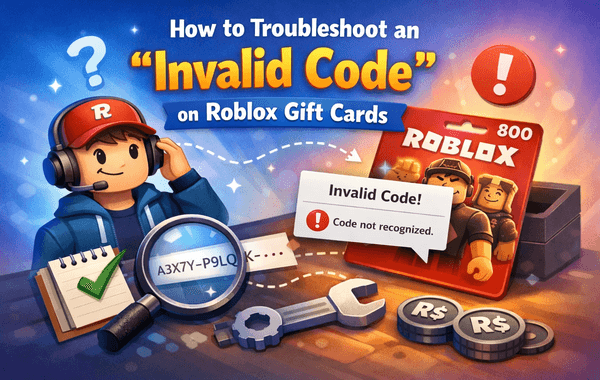
If you’ve ever tried redeeming your Roblox Gift Card and got hit with the dreaded “Invalid Code” message, you’re not alone. This common issue can leave users frustrated—especially when they’ve spent good money on the card. Fortunately, resolving this problem is easier than it seems. In this guide, we’ll explain why this error happens, how to fix it step by step, and how to prevent it in the future.
If you prefer a guaranteed and reliable way to purchase authentic Roblox Gift Cards, head over to Pokibit—a trusted platform offering instant delivery, safe transactions, and region-specific cards at the best prices.
Before diving into troubleshooting, it helps to understand how Roblox Gift Cards work. These prepaid cards let users redeem Robux (in-game currency) or Premium Memberships on the Roblox platform. Each card has a unique 16-digit alphanumeric code that must be entered correctly during redemption.
However, if this code fails, the system labels it as invalid, even if it’s legitimate. Why does that happen? Let’s look at the most common causes.
Follow these verified troubleshooting steps before contacting support:
Carefully re-enter the redemption code exactly as it appears on your card. Avoid spaces or extra characters. If possible, copy and paste the code when redeeming online to reduce errors.
If your card was purchased in a retail store, visit or contact the store and ask whether the card was activated at checkout. Without activation, the code won’t work—even if it’s new.
Go to Roblox’s official redemption page and ensure that the currency and card type match your country. Some cards, like U.S. versions, are restricted to specific servers. If you live in India, always buy Roblox Gift Cards labelled for the India region from trusted sites like Pokibit.
Sometimes, browser cache or temporary errors interfere with code submission. Try redeeming via another browser (like Chrome or Firefox) or a different device (PC or mobile).
Visit the official Roblox Status Page to see if the servers are down. If there’s maintenance underway, wait until it’s resolved and try again later.
Always redeem directly at https://www.roblox.com/redeem. Avoid third-party or unofficial redemption portals—they may be phishing sites.
If none of the above works, contact Roblox Customer Support. Provide:
Roblox may take up to 48–72 hours to verify and resolve your issue.
Here are a few ways to ensure you never face an invalid code error again:
Many players in India report receiving the “Invalid Code” error even from genuine cards. In most cases, this was due to unactivated or mismatched region cards.
One user who bought a card from a non-authorised site waited days for support to respond. When they switched to Pokibit, they received an instant email with a verified PIN, which they successfully redeemed within seconds.
This highlights the importance of using trusted and compliant platforms when buying digital cards online.
If you’ve already confirmed activation and region compatibility, but your code still shows invalid:
An “Invalid Code” message doesn’t necessarily mean your Roblox Gift Card is useless. It’s usually caused by simple, fixable issues such as entry errors, activation problems, or regional mismatches. By following the steps above and buying only from legitimate platforms like Pokibit, you can ensure a secure, hassle-free redemption every time.
Looking to avoid future invalid code errors?
Get authentic, instantly delivered Roblox Gift Cards from Pokibit—your reliable store for all digital gaming vouchers, top-ups, and gift cards. Enjoy exclusive discounts, instant delivery, and region-matched codes you can redeem without worry.

Moba Legends (MLBB) Diamonds Global Top-Up – Fast, Secure & Affordable

How To Buy Marvel Rivals Lattices Instantly: A Complete Step-by-Step Guide

Amazon Prime Membership Plans: How to Buy & Redeem Vouchers
Steam Wallet Gift Card ₹150, ₹500, ₹1000 & More: Buy, Redeem & Use in India

How to Buy Super Mario Odyssey with a Nintendo eShop Voucher (Global)
Amazon Prime Voucher: Buy, Redeem & Activate Prime Membership Online
How To Buy Roblox Gift Cards Online With Exclusive Discounts: A Complete Step-by-Step Guide

How To Top Up Your SUGO Voice Live Chat Party Account Online: A Complete Step-by-Step Guide

How To Buy And Redeem Valorant Vouchers (Global): A Complete Step-by-Step Guide
How to Save Money on Chamet Diamond Recharge Without Compromising Security
