Published on: Tue 09-Dec-2025 09:01 AM
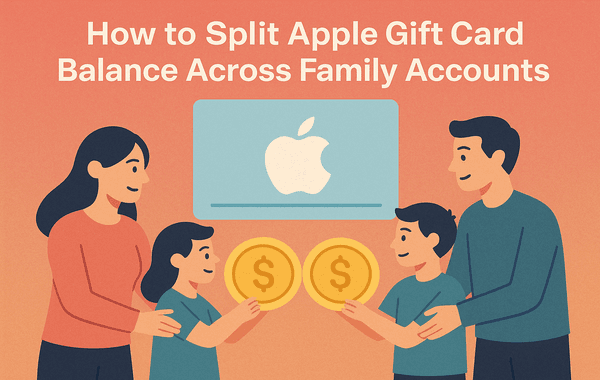
Managing multiple Apple IDs can be tricky—especially when you’ve received a single Apple Gift Card and want to distribute its balance across different accounts. Whether you’re sharing funds with family members, managing multiple devices, or running multiple regional Apple IDs, this guide will walk you through everything you need to know about splitting an Apple Gift Card balance safely and efficiently.
Before we dive into the steps, here’s a quick tip: if you’re looking to buy Apple Gift Cards at the best prices and with instant digital delivery, check out Pokibit — a trusted platform for secure gift card purchases and exclusive offers.
An Apple Gift Card can be used for a variety of purchases — from apps, music, and movies to subscriptions and in-app items across Apple’s ecosystem. The card links directly to the Apple ID it’s redeemed on, meaning the balance becomes part of that specific account’s wallet.
However, Apple doesn’t currently allow a single gift card to be redeemed across multiple Apple IDs directly. Once you redeem it on one account, it’s tied there. That said, there are clever workarounds and smart management options to effectively “split” or share the card’s value without breaking any Apple terms.
Here are a few common scenarios where splitting your Apple Gift Card balance makes sense:
Understanding these needs helps decide which method below suits you best.
If your goal is to share your Apple Gift Card balance among family members, Family Sharing is by far the simplest and safest route.
Here’s how it works:
When any family member makes a purchase, the system automatically deducts it from the shared organiser’s balance.
Advantages:
Limitations:
This method is perfect for families or small groups who share the same Apple ecosystem.
Although Apple doesn’t allow direct transfers of existing balances between accounts, you can still send Apple Gift Card balances as gifts to other Apple IDs.
Here’s how:
By doing this, you effectively distribute your Apple Gift Card value in smaller amounts to different Apple IDs.
Tip: To maintain control, consider splitting your total balance into even denominations and gifting them individually.
If your goal isn’t just about splitting the balance but making sure others benefit from it, another approach is buying digital content using your Apple Gift Card and then sharing access.
For example:
This indirect method ensures that others benefit from your card without requiring multiple redemptions.
Many users operate multiple Apple IDs for different regions — for example, one for India and another for the US store. Since a single Apple Gift Card can only be redeemed on one region’s account, you can strategically purchase smaller-denomination cards instead of one large one.
When you buy in bulk from platforms like Pokibit, you can get multiple codes (e.g., five $10 cards instead of one $50). This makes splitting funds between multiple IDs much simpler and safer.
Bonus Tip:
Bulk buying often comes with discounts or promotional offers, helping you save more when purchasing several gift cards at once.
If you’re trying to split a single card among Apple IDs registered in different countries, note that Apple Gift Cards are region-locked. For instance, a US card won’t work on an India-based Apple ID.
To handle this:
To make the most of your Apple Gift Card and avoid any issues, follow these best practices:
According to Apple’s 2025 security report, nearly 18% of gift card frauds happen due to unverified third-party sellers. Using verified platforms significantly reduces this risk.
Many users accidentally lose value or face redemption errors when splitting balances. Avoid these pitfalls:
By understanding Apple’s ecosystem and planning your splits carefully, you can make every dollar of your Apple Gift Card count.
If you’re planning to split or share your Apple Gift Card balance, the best strategy is to buy multiple smaller denominations — and the safest place to do that is Pokibit.
Pokibit offers:
Visit pokibit.com today to buy Apple Gift Cards securely and enjoy flexible, worry-free digital gifting.
Splitting one Apple Gift Card among multiple Apple IDs may not be directly supported, but with smart management—through Family Sharing, gifting, or bulk card purchases—you can achieve the same outcome efficiently. Always prioritise safety and authenticity when buying gift cards, and use platforms like Pokibit for reliable and verified Apple Gift Card purchases.

Physical vs. e-Mail Delivery: Which PSN Card Wins?

How to Redeem Roblox Cards via Xbox, PS5, and Nintendo Switch

Where to Find Apple Gift Cards with Instant Email Delivery

Full Guide to Redeem Poppo Coins Without Error

Gift-Card Strategy: How to Gift Poppo Live Coins to Friends
Old vs New Apple Gift Card Pricing—What Changed?

Top 10 PC Games to Buy with Steam Gift Cards in 2026

Why Steam Gift Cards Are Gaining Popularity Among Indian Gamers

Guide to Buy Razer Gold PIN for Corporate Rewards
How to Redeem Apple Gift Cards on iPhone, Mac, Smart TV
