Published on: Wed 24-Dec-2025 09:15 AM
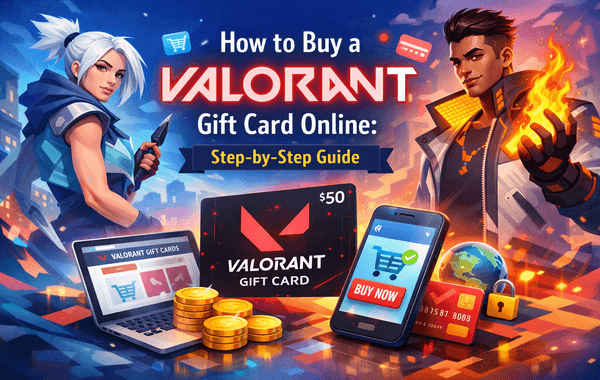
Valorant has become one of the most played tactical shooter games in the world, with millions of active players logging in daily to unlock premium skins, weapon bundles, and battle passes. Whether you’re buying for yourself or gifting a fellow gamer, purchasing a Valorant Gift Card online is one of the safest and fastest ways to add in-game value without using a credit card directly.
If you’re looking for a secure, instant, and hassle-free way to buy online, trusted platforms like Pokibit make the process simple and reliable. This step-by-step guide will walk you through everything you need to know—from choosing the right card to completing your purchase smoothly.
A Valorant Gift Card is a prepaid digital voucher that allows players to add Valorant Points (VP) to their Riot Games account. These points can be used to purchase skins, bundles, battle passes, and other premium items inside the game.
Gamers prefer gift cards because:
According to gaming market data, over 60% of in-game purchases among teens and young adults are made using prepaid cards, highlighting how popular this payment method has become.
Before you purchase a Valorant Gift Card, it’s important to keep a few key points in mind.
Valorant gift cards are often region-locked. Always ensure the card matches the region of your Riot Games account to avoid redemption errors.
Choose a value based on:
Higher denominations usually provide better value if you plan to buy multiple items.
Buying from an unverified seller can lead to used or invalid codes. Platforms like Pokibit focus on verified delivery and customer safety, reducing such risks significantly.
Here’s the exact process to follow for a smooth purchase:
Go to the official Pokibit platform:
Pokibit is known for secure transactions and instant digital delivery.
Use the website’s search or browse feature to find the Valorant Gift Card product page. Always double-check the region and denomination before proceeding.
Choose the gift card value that suits your needs. If you plan to bulk buy for gifting or future use, selecting higher denominations can be more convenient and cost-effective.
Once selected:
This step helps prevent mistakes before payment.
Proceed to checkout and complete your payment using the available secure options. Reputable platforms like Pokibit use encrypted payment gateways to protect your data.
After successful payment:
Instant delivery is one of the biggest advantages of buying online.
Once you have the code, redemption is quick:
In most cases, the balance reflects immediately.
Many guides skip this, but it’s crucial for user trust.
Possible reasons:
Buying from trusted sellers like Pokibit drastically reduces these risks.
Delays usually occur due to:
Most reliable platforms deliver within seconds, especially during off-peak hours.
Here’s why experienced gamers prefer gift cards:
Digital gift cards also make it easier to track expenses compared to direct in-game purchases.
To maximise value:
Industry trends show gamers can save 10–15% annually by timing purchases smartly.
When choosing where to buy, reliability matters as much as price.
With Pokibit, you get:
This makes Pokibit a preferred choice for gamers who want a smooth and safe buying experience.
Official website:
A Valorant Gift Card is perfect for:
It’s flexible, secure, and widely accepted.
If you’re looking for a fast, secure, and beginner-friendly way to buy online, Pokibit is the right choice. Whether you want to purchase for yourself or gift a fellow gamer, you’ll get instant delivery, safe payments, and complete peace of mind.
👉 Visit Pokibit now to buy your Valorant Gift Card online:
Don’t wait—top up your Valorant account today, unlock premium rewards, and enjoy uninterrupted gameplay with Pokibit.

Buy Steam Gift Card Online India: Top Deals Under ₹1000

Steam Wallet Code Not Working? Common Errors and How to Fix Them
PlayStation Gift Card Errors Explained and How to Fix Them
Which Payment Methods Work Best for Purchasing Steam Wallet Gift Cards in India?
Physical vs. e-Mail Delivery: Which PSN Card Wins?

How to Redeem Roblox Cards via Xbox, PS5, and Nintendo Switch

Where to Find Apple Gift Cards with Instant Email Delivery
Full Guide to Redeem Poppo Coins Without Error

Gift-Card Strategy: How to Gift Poppo Live Coins to Friends

Old vs New Apple Gift Card Pricing—What Changed?
