Published on: Sat 20-Dec-2025 03:35 PM
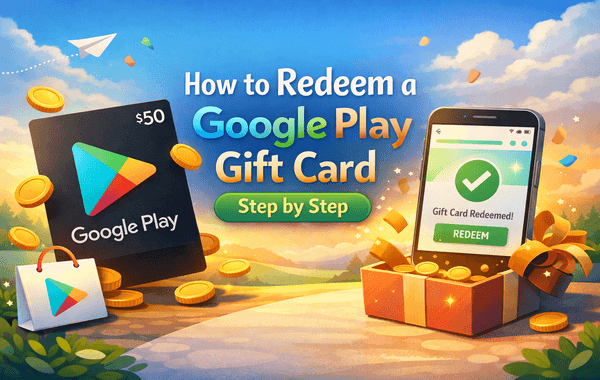
Have a shiny new Google Play gift card in your hands? Great! Whether it was a reward, a festive gift, or a savvy purchase during a discount offer from Pokibit.com, you’re now minutes away from unlocking premium content on your favourite Android apps, games, movies, books, and more.
But here’s the twist — many users still search “how to redeem a Google Play gift card step by step” due to confusion over region settings, invalid codes, or device-specific instructions. This blog is your ultimate, foolproof guide to redeeming your Google Play code on any platform — Android, iOS, or browser — with practical tips tailored for 2025.
Before diving into the Google Play gift card redeem step-by-step guide, let’s quickly understand why these cards are still a top choice for digital spending:
As per a 2024 report by App Annie, India saw a 35% increase in Google Play gift card redemptions due to growing mobile game purchases and e-learning subscriptions.
Let’s now move to the detailed, step-by-step breakdown of how to redeem your Google Play code successfully. We’ve divided it based on the device/method.
Best for: Most common and direct method
Estimated time: Less than 2 minutes
Tip: Always double-check for typos — some letters like O and 0 can be confusing.
Best for: Users who prefer larger screens or don’t have the Play Store app.
This method works perfectly for international users, especially for redeeming Google Play gift card India queries using a desktop.
Though the Play Store app isn’t natively supported for purchases on iOS, you can still redeem and add credits to your account from a browser or the Google Play Books app.
iOS does not support Android apps, but credits can be used for books or linked devices.
Even after following the steps, users sometimes face errors while trying to redeem. Here are the most frequent issues:
If you encounter an Invalid Code Error, double-check each character carefully and make sure the Google Play Gift Card matches your region. If the system shows Code Already Redeemed, verify the details with the sender or reach out to Google Support. A Region Mismatch error means the card can only be redeemed in the country it was originally issued for. If you see the message “Can’t be redeemed on your account,” ensure you are using a personal Google account and not a restricted family or underage account. In case of a Server Error or “Try Again Later” message, wait for 5–10 minutes and try again, or switch to a more stable internet connection.
If you're specifically searching for redeeming a Google Play gift card in India, here are some India-specific tips:
In 2024, over 60% of in-game purchases in India were made using gift card balances
Now that you know the process, the next question is, where to buy a Google Play gift card online securely?
Looking for authentic Google Play gift cards with instant delivery, exciting offers, and full regional support?
Pokibit.com is your trusted one-stop solution!
Whether you're a gamer looking to stock up on game currency, a parent gifting an app subscription, or a tech-savvy user bulk-buying at discounted prices, Pokibit makes it seamless.
Q1. Can I use a Google Play gift card for YouTube Premium?
Yes, if the subscription is done via Google Play billing. Not valid on direct YouTube billing in some countries.
Q2. How do I check my Google Play balance after redeeming?
Go to Play Store > Tap Profile > Payments & Subscriptions > Payment methods.
Q3. Can I redeem a Google Play code multiple times?
No. Each code is for one-time use only.
Q4. Do Google Play gift cards expire?
Generally, no. Most Google Play cards do not have an expiration date unless stated.
Q5. Can I gift a redeemed balance to someone else?
No. Once redeemed, the Google Play balance is non-transferable.
With millions of Android users across India and globally relying on gift cards for convenience and budgeting, knowing how to redeem a Google Play gift card is essential in 2025.
By following the methods above — whether on Android, browser, or iOS — you’ll never run into errors again. Always ensure your code is legit, your account is in the correct region, and the platform you're buying from is reliable.
Whether you want to redeem, gift, or bulk purchase Google Play gift cards, Pokibit is India’s trusted platform for all your digital voucher needs. Don’t wait — grab your Google Play gift card today on Pokibit and redeem it instantly!

Complete Buyer's Guide to Honkai Star Rail Top-Up: Safe UID Methods India

How to Spend Genesis Crystals on Character Skins

How to Redeem Genshin Battle Pass Rewards

How to Spend Moba Legends Diamonds Wisely for Rank Push
Purchase Chamet Live Diamonds With UPI for Video Calls

How to Use Genshin Impact Genesis Crystals for Wishes

Top Benefits of Steam Wallet Gift Cards: Unlimited PC Game Access in India
Buy Google Play Gift Card India: Secure Ways with UPI and Discounts

Top Nintendo eShop Gift Cards for Switch Games: Buy Now Guide

Where to Get Instant Steam Wallet Top-Ups with UPI
