Published on: Mon 17-Nov-2025 01:22 PM
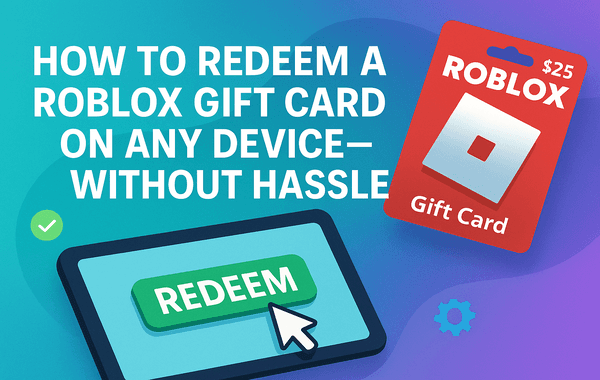
If you’ve just received a Roblox Gift Card, you’re already one step closer to unlocking a world of creativity, fun, and exclusive in-game rewards. Whether you’re on your PC, smartphone, or tablet, redeeming your Roblox Gift Card is easier than you might think. In this guide, we’ll walk you through the quickest, safest, and most hassle-free methods to redeem your Roblox Gift Card on any device.
Want to skip the wait?
👉 Buy official Roblox Gift Cards instantly at Pokibit — verified codes, instant delivery, and safe payments every time.
A Roblox Gift Card is a prepaid digital or physical card that allows players to add credits to their Roblox account. These credits can be used to buy Robux (Roblox’s in-game currency) or Premium memberships for extra perks, such as exclusive items, trading abilities, and more.
Gift cards come in different denominations and can be purchased globally. Once redeemed, the amount is added directly to your Roblox balance, ready to be spent on anything from avatar accessories to private servers.
Pro Tip: If you want instant code delivery and secure transactions, platforms like Pokibit make purchasing Roblox Gift Cards quick and seamless.
Roblox Gift Cards are more than just digital credits—they’re an easy, secure, and rewarding way to enhance your Roblox experience. Here’s why millions of players prefer them:
Before redeeming, you’ll need to buy a genuine Roblox Gift Card.
Here’s where most gamers go wrong: buying from unverified sellers on social media or unofficial marketplaces. These are often linked to invalid or stolen codes, leading to frustrating errors.
That’s why we recommend Pokibit, India’s trusted digital store for Roblox and other top-up products.
At Pokibit.com, you can:
No matter where you play — PC, iPhone, Android, or tablet — redeeming a Roblox Gift Card takes only a few steps. Let’s break it down:
Visit the Roblox redemption page and log in using your account credentials.
If you don’t have an account yet, create one—it’s free and takes less than a minute.
If you bought a digital Roblox Gift Card, the code is delivered to your email instantly after purchase.
If you have a physical card, gently scratch off the grey area on the back to reveal your PIN code.
On the redemption page, you’ll see a field labelled “Enter PIN Code.” Type your Roblox Gift Card code carefully — avoid spaces or extra characters.
Click Redeem.
Once the code is verified, your balance will appear on the screen.
You can choose to add it to your Roblox Credit Balance or convert it directly to Robux.
Now that your balance is added, head to the Roblox Store and explore:
Your funds will be automatically deducted from your Roblox balance when you make a purchase.
While Roblox doesn’t currently allow in-app redemption on mobile, you can still redeem your code easily using your browser:
Once done, your credits or Robux will appear in your account instantly — ready to use in the mobile app.
Even when you follow every step correctly, minor errors can occur. Here’s how to fix them:
If you encounter an error while redeeming your Roblox Gift Card, don’t panic—most issues can be resolved easily. For instance, if you see the message “Code already redeemed,” it likely means the card has already been used earlier. In this case, check your Roblox transaction history to confirm whether the amount has been credited. If the error says “Invalid code,” it could be due to a typing mistake or a damaged code—double-check your entry and, if the problem persists, contact the seller for verification. Sometimes, users face a “Region not supported” error when the card was purchased from a different region. To avoid this, always buy region-specific cards such as Roblox India Gift Cards from trusted platforms like Pokibit. Lastly, if you see a “Code not found” message, it’s usually a temporary issue with the Roblox servers. Simply wait for a few minutes and try redeeming your code again.
To check how much credit you have left:
This helps you track your purchases and manage spending efficiently.
With the rise of fake codes and phishing sites, it’s essential to stay alert.
Here’s how to protect yourself:
To maximise value, redeem your card during Roblox seasonal sales or special events.
Look out for discounts on accessories, bundles, and premium passes around:
You can also bulk buy Roblox Gift Cards during these periods from Pokibit for added savings.
Redeeming a Roblox Gift Card is fast, secure, and gives you access to a limitless creative world inside Roblox. Whether you’re using a PC, Android, or iPhone, following the above steps ensures a smooth experience without any errors.
And remember — always choose verified platforms for your purchase to avoid fake codes and scams.
No waiting. No scams. Just instant access.
At Pokibit.com, you’ll get:
Buy your Roblox Gift Card today on Pokibit — and power up your Roblox world in seconds!

Is It Safe to Enter UID on 3rd-Party Top-Up Sites?

Top Razer Gold Scams to Watch Out for in 2026

How to Check Your Top-Up Status if the Order Takes Longer Than Expected

How to Turn Unused Apple Gift Balance into Subscription Extensions
How to Instantly Redeem a Steam Wallet INR Gift Card in India (Fast & Secure)

How to Use Game Voucher Credit Across Multiple Switch Consoles

Google Play Gift Card Bundle Deals & Value Packs

Why You Should Never Share Your Genshin Impact UID or HoYo ID in Public Chat
How to Use an Apple Gift Card for Game Credits and In-App Purchases
How to Stack Coupons and Cashback for Google Play Gift Cards
