Published on: Thu 10-Jul-2025 11:40 AM
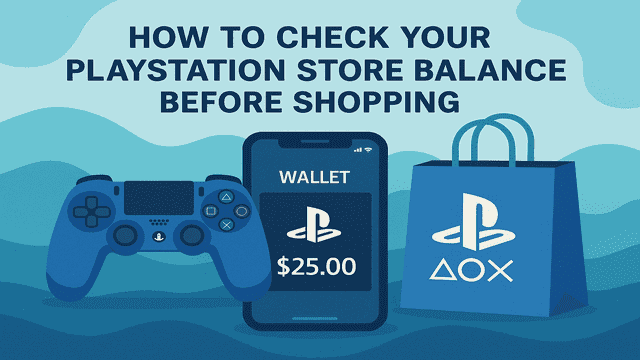
Planning to download that latest AAA title or snag a PS Plus membership deal? Before you hit “Purchase,” it’s essential to know exactly how much credit you’ve got in your PlayStation account. That’s why learning how to check your PlayStation Store balance before shopping is more than just smart—it’s necessary.
In this quick yet detailed guide, you’ll learn all the methods to check your PS Store balance, whether you're using a console, PC, or mobile device. We’ll also answer popular questions like “how to check PSN balance,” “how to check PlayStation wallet,” and “how to confirm PS gift card balance” before you make your next move.
Want to add funds easily or buy a PlayStation Gift Card at the best rate? Head over to Pokibit and get instant delivery with a trusted checkout.
Whether you're topping up your PSN wallet with a gift card or funding it with a credit card, it's crucial to know your available funds before making any purchase. Failing to check your PlayStation Store balance may result in:
By doing a quick PS Store balance check, you ensure a smooth, frustration-free shopping experience.
When we say “PlayStation Store balance,” we're referring to the total amount of funds in your PSN wallet, including:
These can be used for buying:
Now, let’s get into the different ways to check PlayStation Store balance.
This is the quickest way to check how much money is available in your PSN wallet directly from your console.
Prefer checking from your PC or mobile browser? Here's how:
This is perfect if you’re away from your console or making purchases through the web store.
The PlayStation App is a handy tool for gamers on the go. Here’s how to do a PS Store balance check using the app:
Bonus: You can also redeem PlayStation gift cards directly in the app and see the updated balance instantly.
Many users wonder if it's possible to check a PlayStation gift card balance before adding it to their account.
Important: PlayStation gift cards cannot be checked for balance externally like Visa or MasterCard. Once you redeem the code, the value is directly added to your PSN wallet.
Need a gift card? Buy from Pokibit for instant code delivery and verified PSN compatibility.
Here are some expert recommendations to maximize the value of your PlayStation balance:
Regularly checking your balance helps track your spending habits and prevent impulse purchases during seasonal sales.
Parents can enable wallet limits on child accounts to prevent overspending.
Got partial balance from a gift card? Use that first before switching to another payment method at checkout.
Sony often runs wallet credit bonuses (e.g., spend $50, get $10). Check the “Deals” section before redeeming gift cards.
No, your PSN wallet balance is non-transferable and only usable within your logged-in account.
Gift card balances do not expire once redeemed, but the physical or digital card itself might have an expiration period for redemption (usually 12 months).
Try re-logging into your account, or clear cache if using the browser. If the issue persists, contact PlayStation Support.
Before buying your next big release, remember: the smartest gamers are the most prepared. Doing a simple check PlayStation Store balance ahead of time saves you from failed transactions, wasted time, and missed deals.
From console to browser to mobile app—PlayStation has made it easy to keep tabs on your PSN account balance. And when it comes time to top up, make sure you’re using a trusted platform with instant delivery and real-time support.
Need to top up after doing a PS Store balance check? Use Pokibit to load your wallet quickly and securely.
Buy PlayStation Gift Cards Now at Pokibit.com and never run out of Robux, V-Bucks, or store credit again.

How to Spend Genesis Crystals on Character Skins

How to Redeem Genshin Battle Pass Rewards

How to Spend Moba Legends Diamonds Wisely for Rank Push

Purchase Chamet Live Diamonds With UPI for Video Calls

How to Use Genshin Impact Genesis Crystals for Wishes

Top Benefits of Steam Wallet Gift Cards: Unlimited PC Game Access in India

Buy Google Play Gift Card India: Secure Ways with UPI and Discounts

Top Nintendo eShop Gift Cards for Switch Games: Buy Now Guide

Where to Get Instant Steam Wallet Top-Ups with UPI
Top Tips for Buying Discounted Steam Gift Cards in 2026
