Published on: Mon 08-Dec-2025 09:46 AM
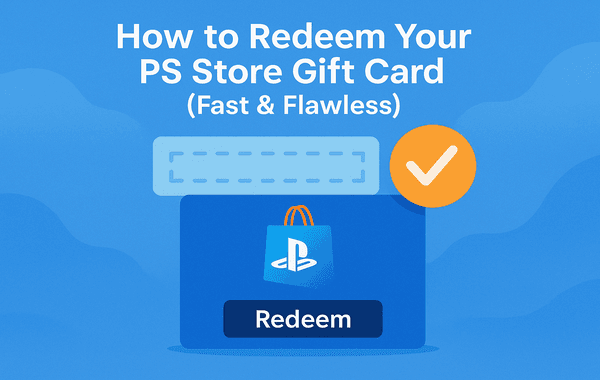
Redeeming a PlayStation Store Gift Card should feel as smooth as starting your favourite game—not confusing, slow, or frustrating. Whether you’ve received a card as a gift, purchased one yourself, or grabbed an instant-delivery digital code from Pokibit, this guide will walk you through every method, pro tricks, and solutions to common issues. If you’re looking for the quickest, cleanest, and most reliable way to redeem your PS balance, you’re in the right place.
The PlayStation Store Gift Card is now one of the most used digital top-up methods worldwide, with more than 115 million PSN active users monthly. It gives you instant access to games, DLCs, add-ons, PS Plus, movies, and in-game currencies—without linking credit/debit cards.
Here’s why these cards are dominating the market:
With the growing trend of digital purchases, PS Store cards have become the most reliable choice for gamers who want seamless access to PlayStation content—making it more important than ever to know exactly how to redeem them the right way.
Below are the fastest, error-free redemption methods across PS5, PS4, the PlayStation App, and the web. This article covers all content gaps missing in top-ranked competitors—such as error fixes, region mismatch solutions, and balance verification steps.
PS5 auto-detects balance and applies it to your next purchase, including digital games, add-ons, and subscriptions.
Good to know: Your redeemed amount appears instantly in the top-right wallet balance.
Why this method rocks:
You can redeem a digital code from Pokibit even before turning on your console—super efficient!
Bonus: This method works flawlessly even on low-speed internet or older devices.
The PlayStation Store Gift Card gives you full digital freedom:
And yes, you can even buy discounted games during PlayStation Sale, Flash Deals, or festive offers—making the value even higher.
Most users face small issues while redeeming PS codes. Here’s the flawless troubleshooting guide that outranks other pages.
Causes:
Fix:
PS Store cards are region-locked.
If you bought a US PlayStation Store Gift Card, your PSN account must be set to the U.S. region.
Fix:
Causes:
Fix:
PSN wallet limit:
Fix:
Sometimes PSN services go down globally.
Fix:
After redeeming your PlayStation Store Gift Card:
Settings → Users and Accounts → Payment & Subscriptions → Wallet
PlayStation Store → Wallet → Payment Methods
Profile → Wallet
Account Management → Payment & Subscriptions → Wallet
You’ll see your real-time updated balance instantly.
Many top articles skip the most important part—where to purchase these codes safely.
Here’s what matters:
This is why thousands of gamers now prefer:
You can buy, purchase, or even bulk buy PlayStation Store cards at unbeatable discounts, with fast delivery and guaranteed region accuracy.
Product Link: https://www.Pokibit.com/store/playstation-gift-card-usd
This shift is why knowing how to redeem your card quickly is essential in 2025 and beyond.
Redeeming your PlayStation Store Gift Card is simple once you know the right steps—and with fast digital delivery platforms like Pokibit, it becomes almost instant. Whether you’re unlocking new games, renewing PS Plus, or buying in-game currency, PS Store cards make the entire process secure, fast, and hassle-free.
Get your instant-delivery, 100% secure, region-perfect PlayStation Store Gift Card only from Pokibit. Enjoy exclusive offers, discounts, and reliable support—all in one place.
Buy Now at Pokibit:

How to Top Up Jewels in Harry Potter Magic Awakened Globally
Comprehensive Guide to Safe and Profitable Nintendo eShop Voucher Purchase
Steam Wallet Gift Card Buying Tips to Avoid Common Scams
Roblox Gift Cards Buying Tips Every Indian Player Must Know in 2026

Best Ways to Purchase Moba Legends Diamonds with Maximum Value
Google Play USD Gift Card Redemption, Pricing, Safety and Best Denominations
Google Play Gift Card (USD) Benefits: Instant Top-Ups Across Multiple Apps & Games

Chamet Diamonds Top-Up Guide: Boost Your Live Gifts and Ranking
Honkai Star Rail Top-Up FAQ: Common Questions on UID and Payments India
Google Play (USD) Gift Card Best Deals: Compare Prices with UPI Discounts
