Published on: Fri 23-Jan-2026 10:07 AM
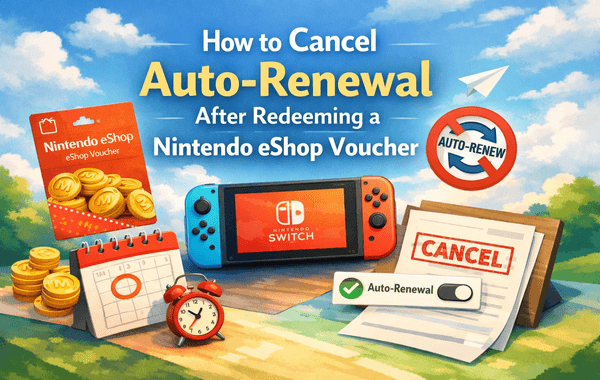
Buying a Nintendo eShop Voucher is one of the smartest ways to control your gaming budget, unlock exclusive content, and enjoy uninterrupted access to Nintendo Switch games and subscriptions. However, many users face an unexpected issue after redeeming their voucher—auto-renewal gets enabled, leading to automatic charges once the voucher balance is exhausted.
If you’ve ever wondered how to stop this from happening, you’re in the right place. This detailed guide explains how to cancel auto-renew after redeeming a Nintendo eShop Voucher, why it matters, and how to stay in full control of your spending. Whether you’re a casual gamer, a parent managing a child’s account, or someone who frequently buys vouchers in bulk, this guide has you covered.
You can also securely buy Nintendo eShop Voucher codes from Pokibit, a trusted platform known for instant delivery and competitive offers:
👉 https://www.pokibit.com/product/nintendo-eshop-voucher-global
When you redeem a Nintendo eShop Voucher, the balance is added directly to your Nintendo eShop wallet. This balance is often used for:
Here’s the catch: if you use the voucher balance to activate a subscription service, Nintendo may automatically enable auto-renewal. Once your voucher balance runs out, the system attempts to charge your linked payment method.
This is where many users get caught off guard.
Cancelling auto-renew after redeeming a Nintendo eShop Voucher is not just about avoiding surprise charges—it’s about smart financial control.
According to gaming subscription trends, over 60% of users forget to turn off auto-renewal, leading to unwanted charges. A small setting change can save you a lot of hassle.
You can disable auto-renewal either directly on your Nintendo Switch or via the Nintendo website. Both methods are simple and take less than two minutes.
That’s it. Your subscription will remain active until the current period ends, but no further charges will be made.
This method is especially useful if you don’t have access to your console at the moment.
Once auto-renew is disabled:
This approach gives you maximum flexibility, especially if you prefer to buy vouchers during seasonal offers or bulk buy promotions.
Even experienced gamers make small errors when managing subscriptions after redeeming a Nintendo eShop Voucher.
It doesn’t. You must manually turn it off.
Removing cards alone does not always stop renewal attempts.
If you manage a family account, auto-renewal settings must be checked for each profile.
To stay fully protected and organised, follow these expert tips:
Trusted platforms like Pokibit help gamers avoid fraud while enjoying fast delivery and genuine codes.
Pokibit has become a preferred choice for gamers who want secure, fast, and affordable Nintendo eShop Voucher purchases.
Visit 👉 https://www.pokibit.com/ to explore available denominations and discounts.
Yes. From a spending-control perspective, vouchers are far superior.
This is why many experienced users rely on vouchers rather than direct subscriptions.
Understanding how to cancel auto-renew after redeeming a Nintendo eShop Voucher is essential for protecting your wallet and maintaining full control over your gaming expenses. Nintendo’s default settings may favour convenience, but smart users take a few extra seconds to manage subscriptions properly.
By combining correct account settings with trusted voucher purchases, you get the best of both worlds—freedom, security, and uninterrupted gaming enjoyment.
Ready to stay in control of your subscriptions and enjoy seamless gaming?
Visit Pokibit today to purchase genuine Nintendo eShop Vouchers with fast delivery, secure payments, and exclusive deals. Make smarter gaming choices and never worry about unwanted auto-renewals again.

Amazon Prime Voucher: Buy, Redeem & Activate Prime Membership Online

How To Buy Roblox Gift Cards Online With Exclusive Discounts: A Complete Step-by-Step Guide

How To Top Up Your SUGO Voice Live Chat Party Account Online: A Complete Step-by-Step Guide

How To Buy And Redeem Valorant Vouchers (Global): A Complete Step-by-Step Guide

How to Save Money on Chamet Diamond Recharge Without Compromising Security
Beginner's Guide to Using a Star Maker Digital Gift Card on Any Device

Poppo Live Recharge Guide 2026: Get Bonus Coins, Save Money & Top Up Securely

How to Redeem Nintendo eShop Gift Card: A Complete Guide

Buy Steam Gift Card Online and Enjoy Elden Ring, Destiny 2, and More

How to Get Cheap Chamet Diamonds in 2026 — Free Methods + Recharge Comparison
