Published on: Wed 17-Dec-2025 07:26 AM
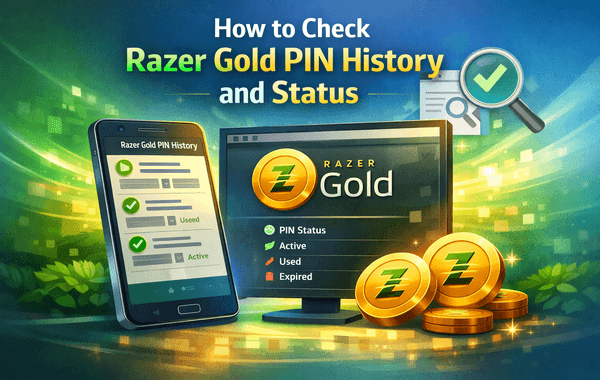
Managing your Razer Gold account efficiently is essential if you regularly top up games or redeem gift cards. One of the most common tasks users struggle with is understanding how to check Razer Gold PIN history and track whether a PIN has already been used, remains active, or failed during redemption. If you’ve ever purchased a Razer Gold PIN from an online store and were unsure of its redemption status, this guide will give you total clarity.
For fast and secure Razer Gold purchases with instant PIN delivery, platforms like Pokibit ensure a smooth experience.
Razer Gold is one of the world’s most popular digital currencies for gaming and entertainment, used by millions of gamers across 130+ countries. With it, users can buy in-game items, recharge accounts, and access exclusive offers. A Razer Gold PIN acts as a prepaid digital voucher that credits your Razer wallet once redeemed.
However, knowing how to check Razer Gold PIN history is crucial because:
This is especially important in India’s growing digital voucher market, which has crossed ₹12,000 crore in annual value, making PIN verification an essential step for buyers.
Most articles ranking for similar keywords miss key points such as:
This guide fills all these gaps to help you fully understand your Razer Gold PIN activity.
Here’s the most accurate and updated process to help you check Razer Gold PIN activity in minutes:
Go to: https://gold.razer.com
Make sure you are on the official website to avoid phishing or fake pages.
Enter your email and password.
If you don’t have an account, you must create one—PIN history cannot be accessed without logging in.
Once logged in, click on:
Dashboard → Account → Transaction History
This section displays all wallet reloads, redemptions, purchases, refunds, and offer-based transactions.
To specifically check PIN activity:
You will now see all past activity related to PIN redemption.
This is the primary method to check Razer Gold PIN history.
If you simply need to check whether a PIN has been redeemed or is still active, follow these steps:
If the PIN is already used, the system will show:
If active, it will show the loadable amount before asking for confirmation.
Trusted platforms like Pokibit attach complete order details, including:
You can match these details inside your Razer Gold transaction history.
If your balance increased after entering the PIN, the code has already been redeemed successfully.
Millions of global users perform Razer Gold top-ups daily, which means occasional issues are normal.
Here are common problems and how checking PIN status helps solve them:
Occurs due to typing mistakes or fake/duplicate vouchers.
Solution: Check redemption status and validate the source.
Happens when PINs were auto-applied by the system or redeemed previously.
Solution: Review transaction history.
Some PINs are region-locked.
Solution: Check PIN details before purchase.
Razer servers may delay status updates.
Solution: Verify wallet balance and history again after a few minutes.
For users who purchase multiple PINs, duplication or confusion can occur.
Solution: Organise PINs and check history after each redemption.
Status checking eliminates guesswork and helps you identify whether the issue lies with the PIN, the platform, or your account.
Based on user reports and platform data, these checks help ensure authenticity:
Pokibit, for example, provides:
When you buy from legitimate sellers, you rarely face issues while trying to check Razer Gold PIN history or redemption status.
To avoid confusion, accidental loss, or misuse, follow these tips:
Always store screenshots or email confirmations.
Prevents expiry or accidental disclosure.
Even partially—never share with friends or on social media.
Scam websites are growing rapidly in 2025. Always buy from recognised stores.
This keeps your account organised, especially if you redeem often.
Allow a few seconds between each redemption to avoid server overload.
Ensures successful loading and audit trail.
Following these practices ensures smooth account management and prevents fraudulent activity.
If status checking shows an issue, here’s what you should do:
Enter carefully and avoid extra spaces.
Some PINs work only for specific countries or currencies.
Sometimes balance updates take a moment.
Provide them with:
Reputable sellers resolve genuine issues quickly and transparently.
If you’re ready to top up your Razer wallet safely and want instant PIN delivery with full transparency, Pokibit is your best choice. Whether you need a single voucher or want to bulk buy at the best price, Pokibit offers a smooth experience with no delays, no complications, and full purchase security.
👉 Buy Razer Gold Now from Pokibit
Get instant codes, secure checkout, exclusive discounts, and complete peace of mind with every purchase.

How to Fix “Cannot Redeem” Errors on Apple Gift Card Codes

How to Redeem Poppo Live Diamonds in the App
How to Check Razer Gold PIN History and Status

Poppo Coin Bundles That Unlock VIP Access for Streamers

Why Is My Honkai Star Rail UID Rejected When Buying Online?

How to Top Up Nintendo eShop Wallet Without Regional Restrictions

How to Purchase Honkai Star Rail Express Supply Pass Using UPI

How to Spot Fake Apple Gift Card Listings Before You Buy

Top 10 PC Games to Buy with Steam Gift Cards in 2025

Bulk Packages That Maximise Poppo Live Coin Value
