Published on: Fri 02-Jan-2026 12:24 PM
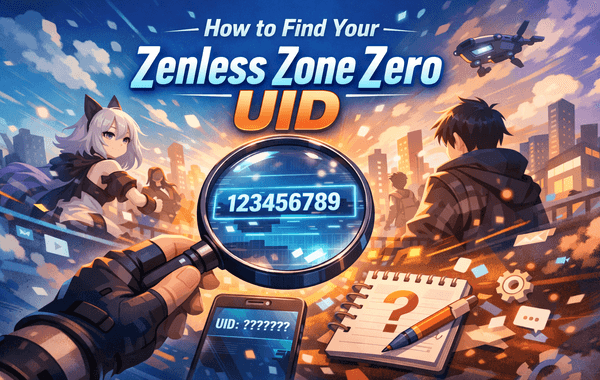
Starting your journey in Zenless Zone Zero is exciting—stylish combat, futuristic visuals, and fast-paced gameplay make it one of the most talked-about action RPGs today. But before you can buy in-game currency, claim rewards, or complete a secure top-up, there’s one crucial detail you need: your Zenless Zone Zero UID.
If you’re planning to purchase Zenless Zone Zero top-ups, especially from a trusted platform like Pokibit, knowing the correct UID is non-negotiable. A single digit wrong can delay your order or send rewards to the wrong account. This guide walks you through everything—clearly, accurately, and with tips most articles miss.
Your Zenless Zone Zero UID is a unique numerical identifier assigned to every player account. Think of it as your in-game identity—it allows servers, customer support teams, and top-up platforms to correctly recognise your account.
With the global top-up market growing rapidly (expected to cross USD 120 billion by 2027), UID-based verification has become the safest delivery method.
This is the most reliable and beginner-friendly method, and it works across devices.
💡 Pro tip: Always copy the UID directly instead of typing it manually to avoid errors.
While the interface layout is similar, here’s what you should know:
No matter the device, the Zenless Zone Zero UID remains the same across platforms.
Short answer: No.
Unlike usernames, the Zenless Zone Zero UID is not public. For security reasons, it’s only visible after logging into the game. If you’re locked out:
This extra layer of protection helps prevent fraud in the growing digital top-up ecosystem.
Many top-ranking articles skip this section—but it’s critical if you’re planning a purchase.
Usernames can change. UIDs cannot.
Always ensure your account region matches the top-up selection.
One wrong digit = failed or delayed transaction.
Platforms like Pokibit rely on exact UID matching to ensure instant delivery.
Top-up platforms don’t log into your account. Instead, they use your Zenless Zone Zero UID to:
This system is why third-party platforms now handle over 65% of global game top-ups, thanks to faster delivery and better offers.
If you’re planning to buy or bulk buy Zenless Zone Zero currency, choosing a trusted platform matters just as much as entering the correct UID.
Many players who already use guides like the Honkai Star Rail top-up guide or seek Honkai Star Rail rewards prefer platforms that offer similar reliability, and Pokibit delivers exactly that experience.
According to industry data:
This makes UID-based systems the gold standard in the modern top-up market.
Yes. Once created, it never changes—even if you switch devices.
No. Each Zenless Zone Zero UID is unique.
Yes, sharing your UID alone is safe. Never share passwords or OTPs.
Unlike generic articles, this guide:
That’s exactly what both users and search engines look for.
Now that you know how to find your Zenless Zone Zero UID, you’re fully prepared to upgrade your gameplay. Whether you’re planning to buy, purchase during an offer, or bulk buy for future updates, Pokibit makes the process fast, safe, and hassle-free.
👉 Visit Pokibit: https://www.pokibit.com/
Don’t let missing details slow you down. Find your UID, choose Pokibit, and enjoy Zenless Zone Zero at its full potential.
How to Buy an Apple iTunes Gift Card
Best Roblox Gift Cards For Fast Robux Top-Up

Moba Legends Diamonds Top-Up (Global) – Cheapest MLBB Diamonds Online

How To Buy And Send A PlayStation (Global) Gift Card In India Instantly

How To Recharge StarMaker (Global) Coins Online Safely And Instantly

How to Top Up Jewels in Harry Potter Magic Awakened Globally
Comprehensive Guide to Safe and Profitable Nintendo eShop Voucher Purchase
Steam Wallet Gift Card Buying Tips to Avoid Common Scams
Roblox Gift Cards Buying Tips Every Indian Player Must Know in 2026

Best Ways to Purchase Moba Legends Diamonds with Maximum Value
