brand-logo
  • Store
  • Blog
LoginSignup
brand-logoLoading Light/Dark Toggle
support@pokibit.com
Raise a Ticket
Privacy PolicyCookie PolicyAML Policy
Disclaimer PolicyTerms and ConditionsGrievance Redressal Policy
Return & Cancellation PolicyShipping & Delivery Policy
Pay via
UPI
PhonePay
Paytm
Gpay
Visa
Master-Card
Net-Banking

© PokiBit 2026 - Made with Love in India

  1. Blog
    1. How To Guides

How to Redeem a Crunchyroll Voucher on Any Device Without Errors

Share
5956

Published on: Wed 10-Sep-2025 01:22 PM
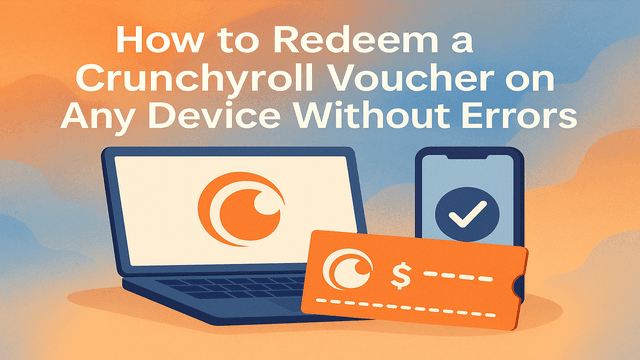
Illustration of a laptop smartphone and Crunchyroll voucher with text How to Redeem a Crunchyroll Voucher on Any Device Without Errors

If you’re an anime fan, Crunchyroll is probably your go-to streaming platform. But sometimes, the excitement of watching your favourite shows gets spoiled when voucher redemption doesn’t go smoothly. Many users face errors while trying to redeem a Crunchyroll Voucher, especially across different devices. Don’t worry—this guide will walk you through the entire process step by step, ensuring a seamless redemption of your voucher, whether you’re using a PC, mobile device, or tablet.

At Pokibit, we make it easier for you to buy Crunchyroll vouchers online instantly and use them without hassles. If you’re ready to skip the errors and start streaming premium anime today, you can get your voucher here: Buy a Crunchyroll Voucher.

Why Crunchyroll Vouchers Are Popular

Crunchyroll vouchers have gained massive popularity because they allow users to enjoy premium anime content without linking their banking details directly. They are:

  • Safer – You don’t need to share credit card details.
  • Flexible – Work on multiple devices.
  • Great for gifting – Perfect for anime-loving friends and family.
  • Budget-friendly – Available in multiple denominations, often with offers and discounts during sales.

With millions of Crunchyroll users worldwide, vouchers are now one of the most purchased ways to access premium subscriptions.

Common Errors When Redeeming Crunchyroll Vouchers

Before jumping into the steps, let’s address the most common errors users face while trying to redeem a Crunchyroll Voucher:

  1. Invalid Code Error – This usually occurs when incorrect characters are entered or vouchers have expired.
  2. Region Restrictions – Some vouchers may only work in specific countries.
  3. Already Redeemed Code – If the voucher was previously used.
  4. Device Compatibility Issues – Errors on certain devices if not updated.
  5. Network Problems – Interrupted internet connection during redemption.

Most blogs online overlook these details, leaving readers stuck. In this guide, we’ll provide solutions for all these issues.

Step-by-Step Guide to Redeem Crunchyroll Voucher

1. On Desktop (PC/Laptop)

  1. Open your browser and visit Crunchyroll.com.
  2. Log in to your Crunchyroll account (or create one if you don’t have it yet).
  3. Go to Account Settings > Redeem.
  4. Enter your voucher code exactly as shown (avoid spaces and case errors).
  5. Click Redeem, and your subscription or credits will be instantly applied.

Pro Tip: Always copy-paste the voucher code if you bought it online to avoid typing mistakes.

2. On Mobile Devices (Android/iOS)

  1. Open the Crunchyroll app.
  2. Tap on Profile > Settings > Redeem.
  3. Carefully enter your voucher code.
  4. Tap Redeem and refresh the app to see the update.

Fix for Errors: If you get an error on the app, switch to a browser (Chrome/Safari) and redeem the code directly from the Crunchyroll website.

3. On Smart TVs and Consoles

  1. Open the Crunchyroll app on your Smart TV, PlayStation, or Xbox.
  2. Log in with your Crunchyroll account.
  3. Look for the Redeem Voucher option under your account settings.
  4. Enter your voucher code using the on-screen keyboard.
  5. Redeem and restart the app to activate your subscription.

Note: Some consoles may not allow direct voucher entry. In that case, redeem the code on desktop or mobile, and the subscription will sync across all devices.

How to Fix Common Voucher Redemption Errors

If you encounter issues while trying to redeem a Crunchyroll Voucher, here are quick fixes:

  • Invalid Code → Double-check for typos; ensure characters like 0 and O aren’t mixed.
  • Region Error → Confirm if your voucher is for global use. Buying from trusted sellers like Pokibit ensures you get valid global vouchers.
  • Already Redeemed → Contact Crunchyroll support with proof of purchase.
  • App Errors → Use the web version for redemption.
  • Slow Internet → Try switching to a stable Wi-Fi or mobile data connection.

By following these solutions, you can eliminate most problems that other guides fail to cover.

Benefits of Redeeming Crunchyroll Vouchers Online

  1. Instant Access – Redeem anytime, anywhere.
  2. Bulk Buy Options – Get vouchers in multiple denominations to save more.
  3. Exclusive Discounts – Online stores like Pokibit often sell vouchers at lower-than-face value.
  4. Perfect for Gifting – Delivered instantly via email or SMS.
  5. Secure Purchases – 100% encrypted and verified sellers.

Unlike direct card payments, vouchers help you stay within budget while enjoying all premium Crunchyroll perks like ad-free streaming, early access episodes, and HD quality.

Why Buy Crunchyroll Vouchers from Pokibit?

When it comes to purchasing digital vouchers, trust and convenience are everything. At Pokibit, you get:

  • Global Vouchers that work across regions.
  • Instant Delivery via email.
  • Multiple Payment Options, including UPI, wallets, and cards.
  • Exclusive Offers & Discounts for frequent buyers.
  • Safe and Secure Transactions backed by verified sellers.

Check out the latest Crunchyroll vouchers here: Buy Crunchyroll Voucher Online.

Final Thoughts

Redeeming Crunchyroll vouchers doesn’t have to be stressful. With the right steps and solutions, you can enjoy anime streaming on any device—without facing frustrating errors. Always purchase your vouchers from trusted platforms like Pokibit to avoid issues with region locks or invalid codes.

Get Your Crunchyroll Voucher Today with Pokibit

Ready to unlock premium anime streaming without errors? Don’t wait—purchase your Crunchyroll voucher today from Pokibit. Enjoy instant delivery, secure transactions, and exclusive discounts when you buy directly from us.

Buy a Crunchyroll Voucher Now

Tag:How to Redeem Gift Cards in India
Share
5956

Trending

Cheap Chamet Diamonds 2026 Guide with Recharge Comparison

How to Get Cheap Chamet Diamonds in 2026 — Free Methods + Recharge Comparison

StarMaker Gift Card Top-Up via UPI

Best Place to Top Up a StarMaker Gift Card for The Karaoke App — INR UPI vs Other Payments

Roblox Gift Card Redeem Online Banner

Redeem Roblox Gift Cards Online: Best Games to Play in 2026 (Including Rainbow Friends)

Nintendo eShop Global gift card with Nintendo Switch console and redemption code

How to Buy & Redeem Nintendo eShop Global Gift Cards: The Complete 2026 Guide

iTunes Gift Card India 2026 prices with instant digital delivery from Pokibit

iTunes Card Price in India 2026 – Best Rates & Where to Buy Instantly

Poppo Live Coins Global Top-Up Guide

Poppo Live Coins (Global) Top-Up Guide: Instant Recharge for Live Streaming Events
Roblox Gift Card Redemption Guide

How to Redeem Roblox Gift Card: Step-by-Step Guide

StarMaker top up exclusive discounts banner

Top Up StarMaker with Exclusive Discounts

Chamet Diamond top-up discount India banner

How to Buy Chamet Diamond at The Best Discount in India

Woman using SUGO app with SUGO Coins and live chat icons

Top Benefits Of Buying SUGO Coins (Global) For Voice Chat And Live Parties
