Published on: Wed 10-Jun-2026 11:30 AM
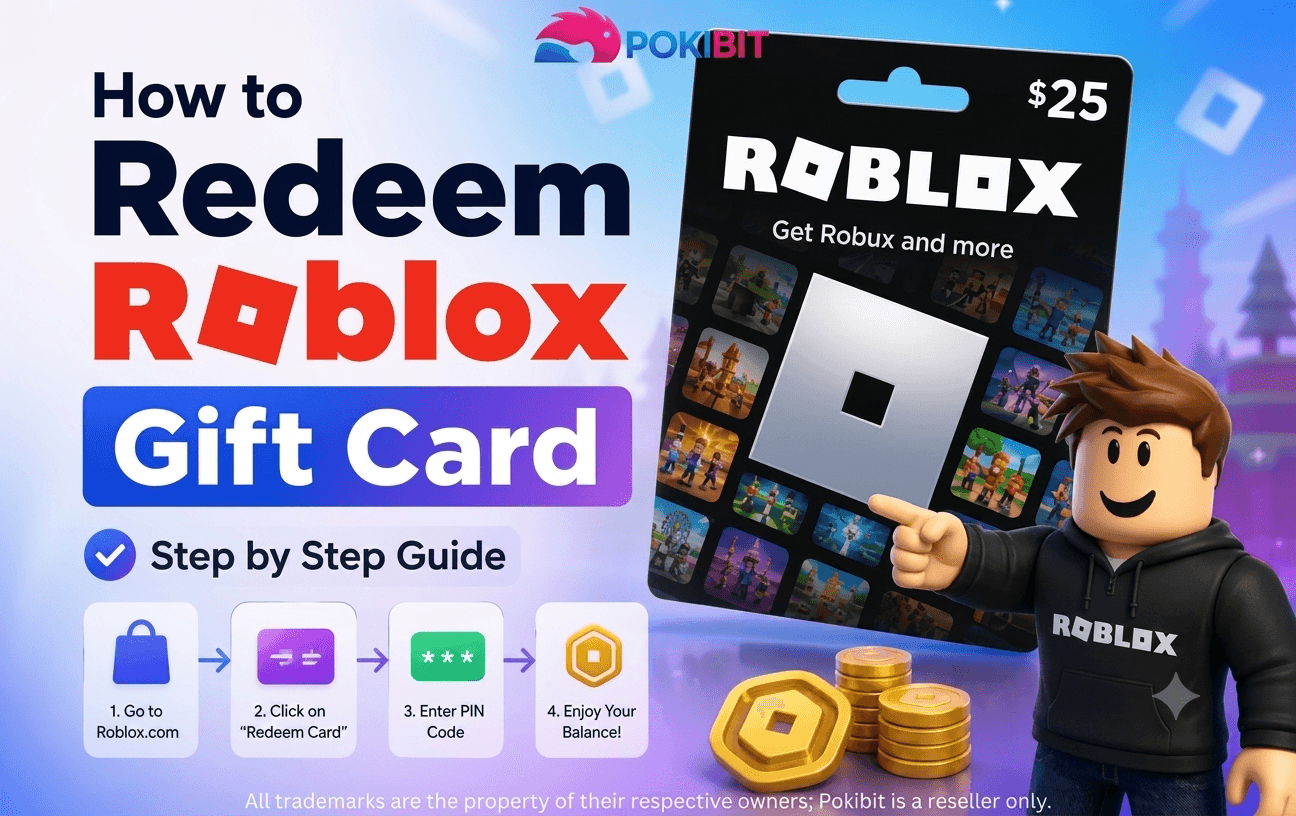
Have you recently purchased a Roblox Gift Card and are wondering how to redeem it? Whether you're looking to add Robux to your account, unlock premium features, or gift a fellow gamer, redeeming your card correctly is essential. Millions of Roblox players worldwide use gift cards as a secure and convenient way to enhance their gaming experience.
If you're planning to buy Roblox gift card online, platforms like Pokibit offer a fast, secure, and convenient way to purchase digital codes. In this guide, you'll learn exactly how to redeem your card, troubleshoot common issues, and maximize the value of your purchase.
A Roblox Gift Card is a convenient prepaid card that lets players add credit to their Roblox account without using a credit or debit card. Once redeemed, the balance can be used to purchase Robux, subscribe to Roblox Premium, or buy various virtual items and experiences available on the platform.
With hundreds of millions of active players worldwide, Roblox remains one of the most popular online gaming platforms. As a result, gift cards have become a popular and secure payment option for gamers of all ages. Each gift card comes with a unique code that can be redeemed online, making it a simple way to access Roblox content instantly.
There are several benefits of using Roblox gift cards:
No need to share banking information while making purchases.
A Roblox card makes an excellent gift for birthdays, holidays, and special occasions.
When you purchase a Roblox gift card online, you typically receive the code within minutes.
Use the balance for Robux, Premium subscriptions, or other eligible Roblox purchases.
Parents often use Roblox prepaid cards to manage gaming expenses for younger players.
Before redeeming your card, make sure you have:
It's important to note that Roblox gift cards can only be redeemed through the official redemption website and not directly within most game experiences.
Follow these simple steps to redeem your Roblox gift card successfully.
Visit the Roblox website and sign in using your username and password.
Always redeem the card on the account where you want the credit or Robux to be added.
Navigate to the official Roblox gift card redemption section.
This page is specifically designed for entering Roblox gift card codes and applying the balance to your account.
Carefully type the code exactly as shown on your card.
If you purchased a Roblox digital gift card, you'll find the code in your email or account dashboard.
Double-check for:
After entering the code, click the "Redeem" button.
The system will verify the code and apply the value to your account.
Once successful, you'll see a confirmation message indicating that the balance has been added.
Your Roblox account now contains the redeemed credit.
You can now use your account credit to:
Congratulations! You've successfully redeemed your Roblox redeem card
Many users purchase a Roblox Robux gift card specifically to acquire Robux.
After redemption:
The Robux will be added to your account instantly in most cases.
Even though the redemption process is simple, some users may encounter issues.
Possible reasons:
Always copy and paste digital codes when possible.
If the system says the code has already been used:
Some Roblox gift cards may have country-specific limitations.
Always check compatibility before you purchase a Roblox gift card online.
Try:
Retailers frequently provide discounts, cashback promotions, and bonus rewards.
Always buy Roblox gift card codes from reputable platforms to avoid scams.
Never share your code publicly or with unknown individuals.
Many gamers and resellers choose to bulk buy Roblox gift cards during promotional periods to take advantage of special offers and discounts.
Occasionally, Roblox runs promotions that provide additional perks when account credit is used.
Finding a reliable seller is just as important as knowing how to redeem the card.
When choosing a platform, look for:
Many gamers prefer digital delivery because it eliminates shipping delays and allows immediate redemption.
Yes. You can redeem the code through a mobile browser by logging into your Roblox account and accessing the redemption page.
Most Roblox gift cards do not expire, but it's always best to redeem them as soon as possible.
Yes. Multiple Roblox gift cards can be redeemed on the same account, and the balances will accumulate.
No. Once redeemed, the credit is generally tied to the account where it was applied.
Digital cards offer instant delivery and convenience, while physical cards are often preferred as gifts.
As Roblox continues to grow, gift cards remain one of the most convenient payment methods for players. They provide flexibility, security, and easy access to Robux without requiring a bank card.
The increasing popularity of online gaming, virtual economies, and digital gifting has made Roblox gift vouchers a preferred choice among gamers, parents, and gift buyers alike.
Whether you're purchasing for yourself or as a gift, a Roblox prepaid card offers a simple way to enjoy everything Roblox has to offer.
Ready to top up your Roblox account with ease?
Pokibit is a trusted platform for gamers looking to buy Roblox gift card codes quickly, securely, and at competitive prices. Whether you need a single card or want to purchase multiple cards, Pokibit offers fast digital delivery, secure transactions, and excellent customer support.
Visit Pokibit today and purchase your Roblox gift card online in just a few clicks:
Website: https://www.pokibit.com
Product Page: https://www.pokibit.com/product/roblox-gift-card
Don't miss out on exclusive offers, discounts, and instant code delivery. Get your Roblox card today and start enjoying more Robux, premium features, and exciting in-game experiences immediately!

Moba Legends (MLBB) Diamonds Global Top-Up – Fast, Secure & Affordable
How To Buy Marvel Rivals Lattices Instantly: A Complete Step-by-Step Guide

Amazon Prime Membership Plans: How to Buy & Redeem Vouchers

Steam Wallet Gift Card ₹150, ₹500, ₹1000 & More: Buy, Redeem & Use in India

How to Buy Super Mario Odyssey with a Nintendo eShop Voucher (Global)

Amazon Prime Voucher: Buy, Redeem & Activate Prime Membership Online
How To Buy Roblox Gift Cards Online With Exclusive Discounts: A Complete Step-by-Step Guide

How To Top Up Your SUGO Voice Live Chat Party Account Online: A Complete Step-by-Step Guide

How To Buy And Redeem Valorant Vouchers (Global): A Complete Step-by-Step Guide
How to Save Money on Chamet Diamond Recharge Without Compromising Security
